Coparenting App vs. Texting: An Honest Comparison
It's 9:47 PM on a Tuesday. You just got your kid to sleep after a rough homework battle, and your phone lights up. It's your coparent — a rapid-fire string of texts about this weekend's schedule change, a question about a dentist appointment, and a passive-aggressive comment about the jacket that didn't come home in the backpack.
You feel your chest tighten. You start typing a response, delete it, type again, delete again. You know whatever you say in this state will probably make things worse. But if you don't respond tonight, you'll get a follow-up at 6 AM that's even sharper.
This is the reality of coparenting by text — and it's the moment when a lot of people start wondering whether a coparenting app vs. texting is worth the switch. Let's break it down honestly.
What We're Actually Comparing
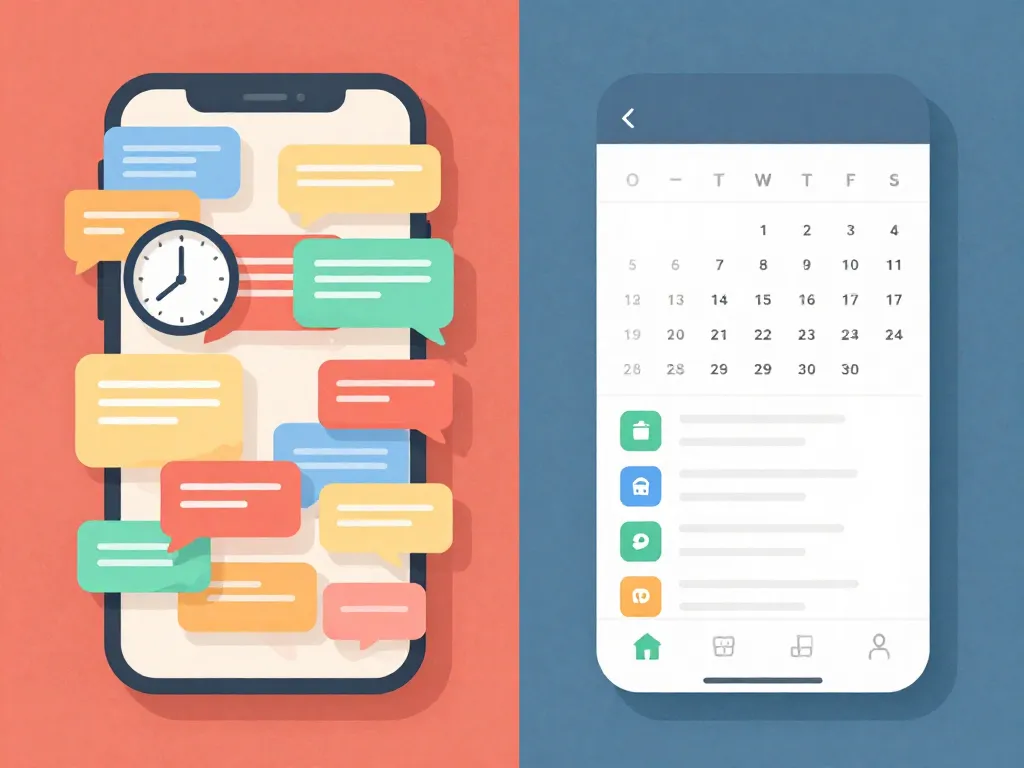
"Texting" means standard SMS or iMessage, but also WhatsApp, Facebook Messenger, or any general-purpose messaging tool you're currently using to communicate with your coparent.
"Coparenting apps" refers to purpose-built platforms like OurFamilyWizard, TalkingParents, AppClose, Cozi, and others specifically designed for separated or divorced parents to manage communication, schedules, and expenses.
The question is whether a dedicated tool solves problems you're actually experiencing — or whether it's an expensive solution to a problem that doesn't exist in your situation.
The Case for Sticking With Texting
When Texting Works Well Enough
- You and your coparent communicate respectfully. If your exchanges are mostly logistics — "Pick up at 3?" / "Yep, see you then" — there may be nothing broken to fix.
- You have a low-conflict coparenting relationship. If you can negotiate schedule changes without it spiraling, texting handles that fine.
- Your kids are older. Teenagers often communicate directly with both parents, reducing the volume of coparent-to-coparent coordination.
- Cost matters right now. Texting is free. Some coparenting apps charge $100–$240 per year, per parent.
The Real Advantages of Texting
- Zero learning curve. You already know how to text.
- Speed. For genuinely urgent matters ("She's running a fever, should I give Tylenol?"), nothing beats the immediacy of a direct message.
- Flexibility. You can share photos, voice notes, links, and locations without navigating a specialized interface.
- No buy-in required. You don't need your coparent to agree to download anything or create an account.
The biggest practical barrier to using a coparenting app is that both parents have to participate. If your coparent refuses, you're stuck — unless a court orders it.
The Case for a Coparenting App
When Texting Starts Failing
Texting tends to break down in specific, predictable ways:
- Messages arrive at all hours. There's no built-in boundary between "coparenting logistics" and "everything else on your phone."
- Tone is impossible to control. "Fine." Is that agreeable or furious?
- Threads become unmanageable. Three months from now, try finding that text where your coparent agreed to split the cost of summer camp.
- Screenshots become weapons. Any message can be screenshotted, cropped out of context, and used in court. This makes both parents communicate defensively.
- There's no accountability structure. Nothing prevents 2 AM rants or name-calling.
What Coparenting Apps Actually Solve
1. Separation of Channels
Your coparenting communication lives in its own space. You check it on your terms, not every time your phone buzzes.
2. Searchable, Organized Records
Every message, every expense logged, every schedule change — indexed and searchable. If you ever need to reference something in mediation or court, you don't have to present a mangled chain of text screenshots.
3. Shared Calendar
A shared, color-coded calendar that both parents can view (and sometimes edit) eliminates the "I thought it was my weekend" disputes. Some apps sync with Google Calendar or iCal.
4. Expense Tracking
Apps like OurFamilyWizard let you log expenses, attach receipts, and request reimbursement — all documented.
5. Tone Monitoring (in Some Apps)
Some platforms flag hostile language before you send it. This isn't censorship — you can still send whatever you want. But the pause it creates between impulse and action can prevent a lot of damage.
6. Court Admissibility
Most dedicated coparenting apps generate records that courts accept as evidence. Messages can't be edited or deleted after sending. Timestamps are reliable.
A Side-by-Side Breakdown
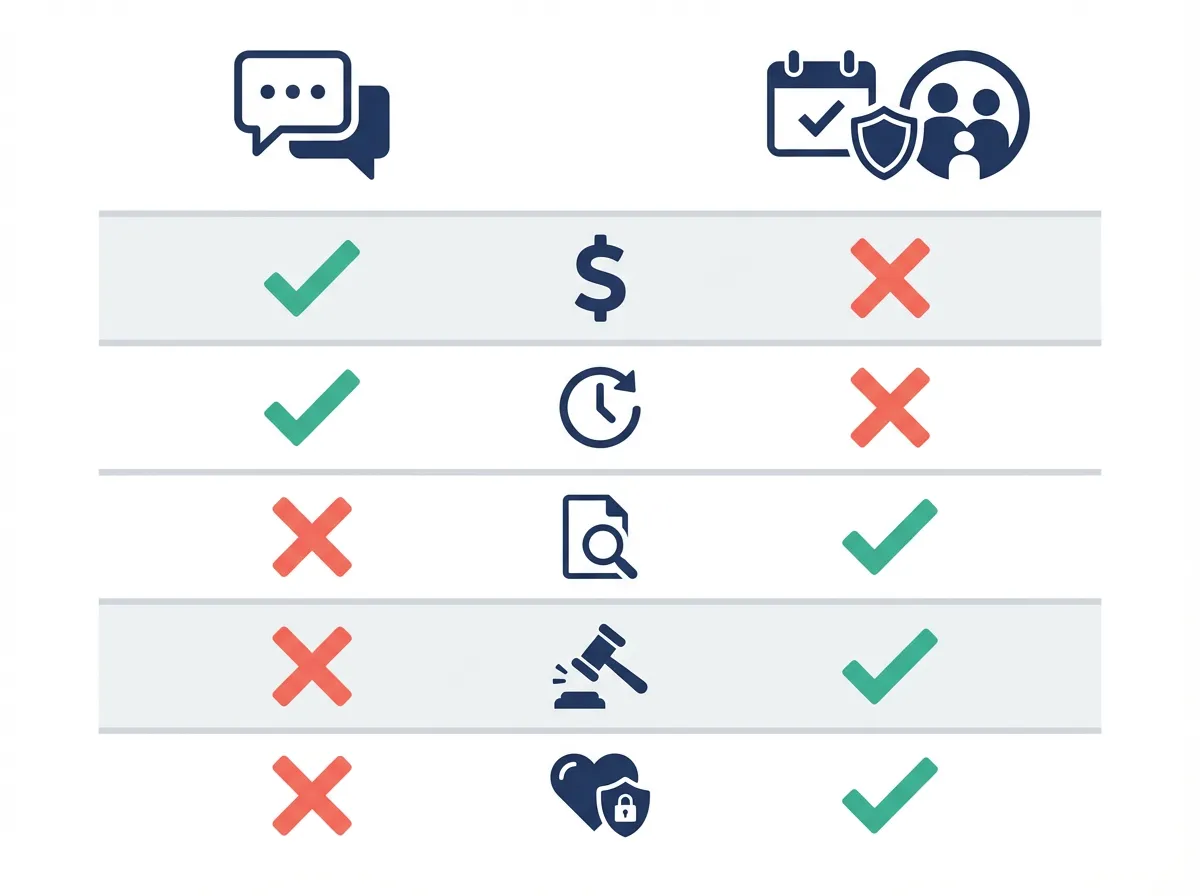
| Factor |
Texting |
Coparenting App |
| Cost |
Free |
$0–$20/month per parent |
| Setup Effort |
None |
Both parents must sign up |
| Urgency |
Excellent for real-time |
Slight delay (by design) |
| Tone & Boundaries |
No structure |
Built-in guardrails |
| Record Keeping |
Manual (screenshots) |
Automatic, searchable |
| Court Admissibility |
Possible but messy |
Designed for it |
| Shared Calendar |
No |
Yes |
| Expense Tracking |
No |
Yes (most apps) |
| Emotional Separation |
Poor — mixed with personal life |
Strong — dedicated space |
| Requires Coparent Buy-In |
No |
Yes |
The Scenarios Where the Choice Becomes Clear
Scenario 1: Low Conflict, Simple Schedule
"We split amicably. We alternate weeks. We don't argue about money."
Best option: Texting (or a shared Google Calendar for schedules). You don't need specialized software.
Scenario 2: Medium Conflict, Growing Tension
"We mostly manage, but arguments about money keep escalating. I've started screenshotting texts in case I need them later."
Best option: Coparenting app. The moment you're saving screenshots, you've identified that documentation matters. The expense tracking will reduce friction. Tools like Servanda can help you formalize specific agreements around recurring disputes before they escalate.
Scenario 3: High Conflict, Court Involvement
"My attorney told me to document everything. My coparent sends hostile messages at night. I dread opening my phone."
Best option: Coparenting app, possibly court-ordered. The documentation, tone guardrails, and emotional separation are protective measures. Talk to your attorney about requesting app-only communication as part of your parenting plan.
Scenario 4: One Parent Refuses to Use an App
"I want structure. They say I'm being controlling."
You can't force someone to download an app. Your options:
- Request it formally through mediation or your attorney. Courts can and do order specific communication platforms.
- Use the app on your end anyway. Some apps let you send messages even if the other parent hasn't signed up (they receive them via email). You still get your own organized records.
- Create your own structure with texting. Set specific "communication hours," create a shared Google Sheet for expenses, use a shared calendar app.
What No App Can Fix
No tool fixes a fundamental communication problem. If your coparent is deliberately hostile, an app gives you documentation and boundaries — but it doesn't make them respectful. If you're the one struggling with boundaries, switching platforms won't automatically change your habits.
Apps are containers. They're good containers — purpose-built, structured, legally sound. But the work of coparenting still happens between two humans who are trying to raise children across two homes.
Some things that help regardless of what platform you use:
- The BIFF method for responding: Brief, Informative, Friendly, Firm. (Developed by Bill Eddy for high-conflict communication.)
- A 24-hour rule for non-urgent messages. Sleep on it. The response you draft at 10 PM is rarely the one you should send.
- Keeping messages child-focused. Before hitting send, ask: "Does this serve my child's needs, or my need to be right?"
- Parallel parenting when co-parenting isn't possible. Sometimes the healthiest approach is minimal communication with maximum structure.
Hidden Costs and Considerations
- Free tiers exist but are limited. TalkingParents offers a free version with ads. AppClose is free. OurFamilyWizard has no free tier.
- Switching apps is painful. Once you have a year of records in one platform, migrating is difficult.
- Kids shouldn't have access. Whatever you use, make sure your children can't see your coparenting communication.
- Apps don't replace legal advice. A coparenting app can document what was agreed to, but it doesn't make an agreement legally binding.
Making the Transition (If You Decide To)
- Frame it as a practical upgrade, not a punishment. "I've been losing track of our schedule conversations in my regular texts. Can we try a shared calendar app?" works better than "I need everything documented because I don't trust you."
- Start with the least threatening feature. A shared calendar is easier to agree on than monitored messaging.
- Suggest a trial period. "Let's try it for 30 days and see if it's easier for both of us."
- If they refuse, don't escalate immediately. Bring it up in your next mediation session or mention it to your attorney for the parenting plan.
The Bottom Line
The coparenting app vs. texting question doesn't have a universal answer. Texting is fine until it isn't. The inflection point is usually when you start needing documentation, when financial disputes become recurring, or when communication anxiety starts affecting your wellbeing.
Start with the problem you're actually experiencing. Choose the simplest tool that solves it. And remember that the best communication system in the world is only as good as the effort both parents put into using it with the intention of giving their kids a stable, peaceful life.
Frequently Asked Questions
Can a court order us to use a coparenting app instead of texting?
Yes, courts can and regularly do order parents to communicate exclusively through a specific coparenting app, especially in high-conflict custody cases. Your attorney can request this as part of your parenting plan, and platforms like OurFamilyWizard and TalkingParents are specifically designed to produce court-admissible records.
Are coparenting apps free, or do I have to pay?
It depends on the app. TalkingParents offers a free tier with ads, and AppClose is free, but OurFamilyWizard has no free option and can cost $100–$240 per year per parent. Evaluate which features you actually need before committing, since free options may be sufficient for basic scheduling and messaging.
What if my coparent refuses to use a coparenting app?
You have several options: bring it up during your next mediation session, ask your attorney to include it in the parenting plan, or use the app on your end since some platforms let you send messages that the other parent receives via email. You can also create your own structure with texting by setting communication hours, using a shared Google Calendar, and tracking expenses in a shared spreadsheet.
Is texting with my coparent admissible in court?
Text messages can be used as court evidence, but they're often messy — screenshots can be cropped out of context, timestamps disputed, and long threads are difficult to organize. Coparenting apps are purpose-built for court admissibility, with tamper-proof records, reliable timestamps, and messages that can't be edited or deleted after sending.
How do I switch to a coparenting app without starting a fight?
Frame the switch as a practical improvement rather than a punishment — for example, say you've been losing track of schedule details in your regular texts and want to try a shared calendar. Start with the least threatening feature like scheduling, suggest a 30-day trial period, and avoid language that implies distrust.